

An app to easily browse the content on e621 and e926!
Please report crashes and bugs in the comments below or message me @ZepiWolf on Telegram.
The ads in the app are optional and can be disabled in the settings!
Telegram channel for updates: @thewolfsstash
Telegram group for feedback and discussion: @WolfsStash

Latest release: 2026-07-10
SHA1: 1ee27f30f5e889e64aee42369d9ccebf24e7148c
By using the app you agree to the Privacy Policy and the Terms of Service.
The app is also on Google Play: https://play.google.com/store/apps/details?id=se.zepiwolf.tws.store
Screenshots (old, very outdated)

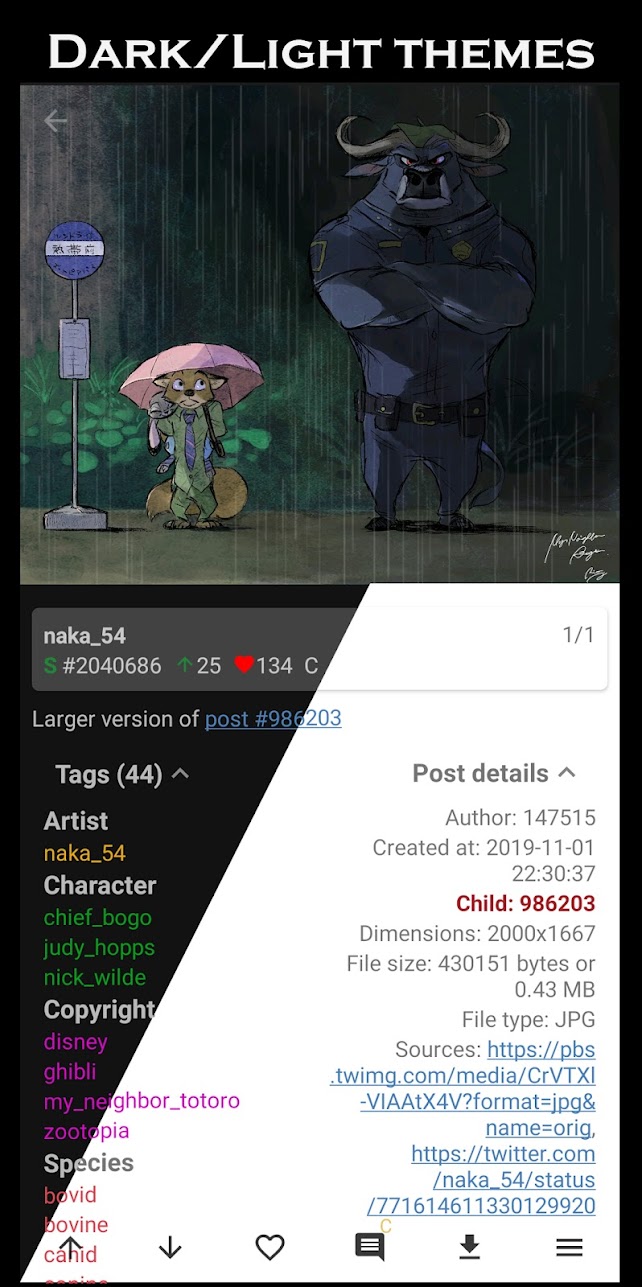


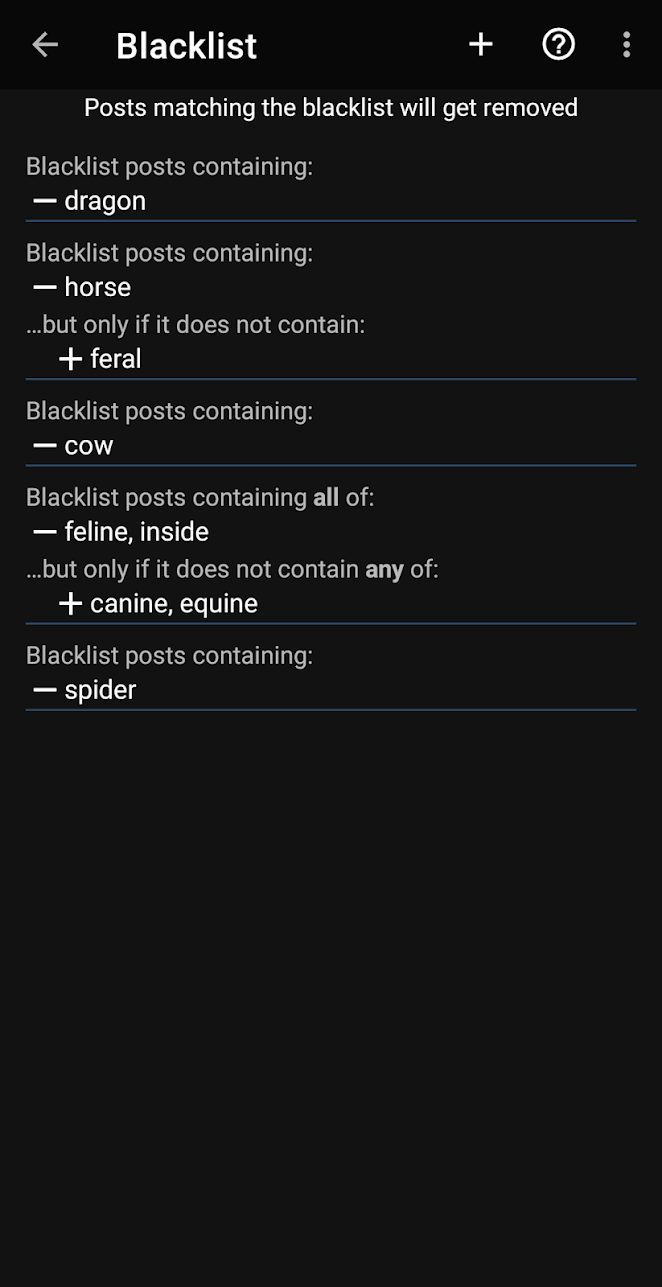
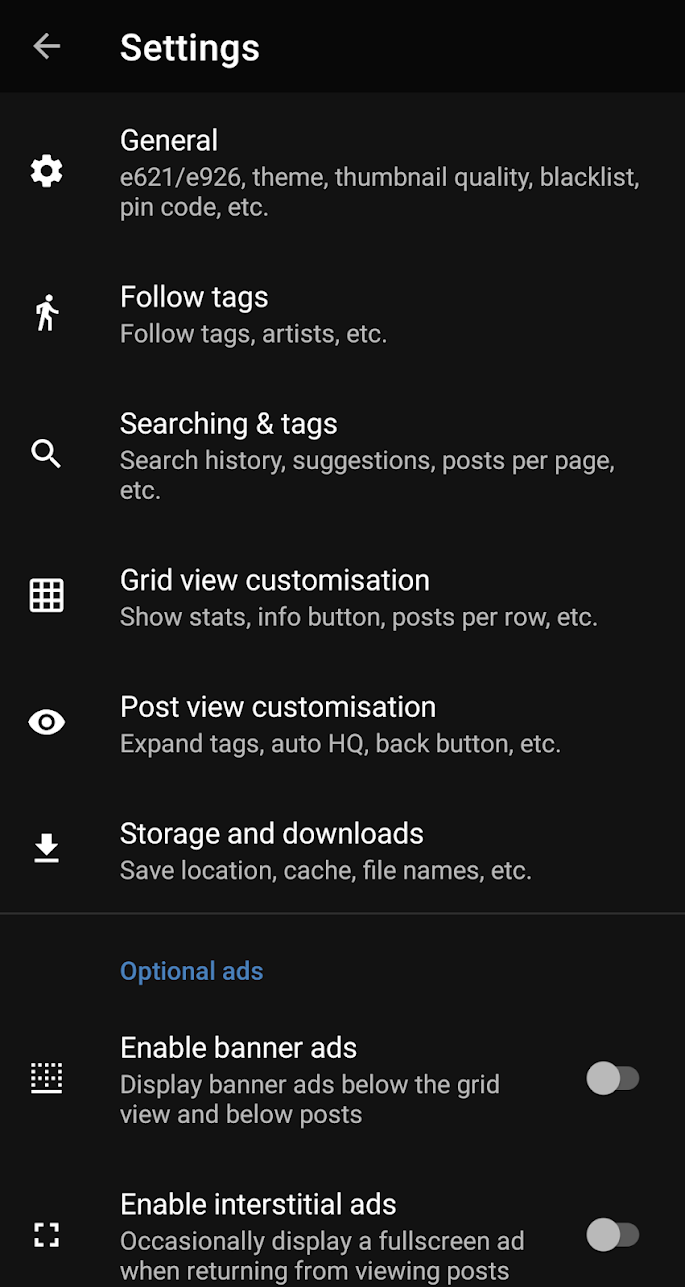
Changelog
New in version beta-4.16.4:
– Fix URL-encoding bugs
– Replying to a comment now strips nested quote blocks
New in version beta-4.16.3:
– Fixed bottom posts in the grid being covered by navigation buttons
– Fixed post info popup showing behind bottom navigation menu
– Fixed issue with downloading posts when custom save location is disabled
New in version beta-4.16.2:
– Crash fix for followed tags
New in version beta-4.16.1:
– Followed tags are ordered manually again
– Added option to order followed tags alphabetically when pressed
– Fixed posting comments with special characters
– Bug fix for downloading posts from the grid
New in version beta-4.16.0:
– Uses new e6 API
– See if you previously voted on a post
– Better followed tags background worker
– Fixed duplicate notifications for the same followed tag
– Followed tags are ordered alphabetically
New in version beta-4.15.2:
– Crash fixes
Privacy version
If you want a clean version without Google dependencies or Firebase download this version. It is the same as the “real” except without the optional ads and the connection to Google/Firebase.
Latest release: 2026-07-10
SHA1: 1f3f5b2f400e5b9eb9ad060357154dd854691914
By using the app you agree to the Privacy Policy and the Terms of Service.
Things (✓ are done and implemented):
- ✓ Infinite scrolling
- ✓ Fullscreen scrolling/swiping
- ✓ Preloading posts
- ✓ Better navigation
- ✓ New UI
- ✓ Clickable tags, artists, sources etc.
- ✓ Tags sorted into artist, species, copyright, character and general
- ✓ Viewing parent/child posts
- ✓ Dedicated buttons for voting/favourite
- ✓ Display thumbnail before the full post is loaded
- ✓ Caching viewed posts for faster loading
- ✓ Downloads sorted after download date
- ✓ Better video player
- ✓ Better blacklist, rating filter
- ✓ Easier to vote and see if a post is already in your favourites
- ✓ Search history
- ✓ Easier to view and detect comics/pools
- ✓ Set custom names for saved searches
- ✓ Download an entire comic/pool
- ✓ Undo/redo searches
- ✓ Option to use a pin code to unlock the app
- ✓ Connect through a proxy server
- ✓ In-app links
- ✓ Subscribe to tags and get notified for new posts
- ✓ DText parsing
- ✓ Editing posts
- ✓ Slideshow
- ✓ Translations into other languages
- ✓ Displaying which posts that have been viewed
- Voting and favouring multiple posts at once
- ✓ Subscribe to pools and get notified for new posts
- ✓ Show a popup with changes when opening a new version for the first time
- Changing thumbnail size to original aspect ratio
- Shortcuts from the app icon
- ✓ Notes on posts
- YouTube-like minimisation when pressing back when viewing a post
- Browsing comments, blips, users
- Viewing Dmail
- ✓ Download manager
- ✓ Viewing sets
- ✓ Editing Sets (adding posts to sets works)
- Folders in Saved searches
- Chromecast support
- Google Drive support
- Everything else :3
- …
Hello,
Isn’t it better to connect followed tags with “~” up to max 40 tags to make them load all at once? I conserve battery and my app is sleeping in the background. When I open it, I need to wait a long time for all about 200 followed tags to load and sometimes not all of them want to load. I connected them into 5 groups per 40 tags (ex. ~one ~two ~three…) and all followed tags loads in a few seconds.
Hey,, I’m really interested in helping with the development. Have you ever considered making your awesome app open source?
Some Webp files still not playing when viewing on newest version weirdly plays when pressing comments though or the little thumbnail “i” icon but not when in normal use
Here’s a example, it’s nsfw just as a warning https://e621.net/posts/6062155
Please look into this
Looking up the animated_webp tag in your app also brings up pretty much all images that don’t work in the app normaly as well
Running most MP4 files appears to be listed as JPGs in the file type, leading to a “Image format not supported” error. WebM videos appear to run just fine
Interesting, the e621 desktop website lists the file type correctly.
Can you share a screenshot and/or post ID?
https://zepiwolf.se/contact/
Videos don’t play if they’re bigger than 1080p, please fix!
Webp file not playing in app but weirdly plays when pressing the small “i” icon on a thumbnail, also webp not loading in thumbnail just 1 random color blank icon
Here’s the url, it’s nsfw just as a warning https://e621.net/posts/6062155
Hi, I installed the new version from the web, and when I open it, it closes on its own. I tried uninstalling it and reinstalling it from scratch, and it works.
When I try to import the data from my backup, it seems to crash again.
Is there a compatibility issue with data from other versions that causes it to become corrupted, that is just my impression
Does any of your followed tags contain the @ character? Remove it and try again.
I will publish an update in an hour to fix it ^^
Exactly—I was going through the files, the new one and the old one, and filling everything out manually, and it crashes right when I paste a username with an @ symbol into the “Follow” field.
And thanks for the app—I’ve been using it for years.
Ah ok ^^ Does it work with the newest update?
(@ is not a valid character in tags btw)
Yes, it works now.
(Even so, it seems some people still use it.)
And thanks again for the app and the maintenance
Looks like @ is allowed now, did not know that ^^
This app singlehandedly changed the way furry porn can be consumed by android users… Extremely impressive. Revolutionary even, it is the Linux of furry porn lol.
One thing I would like to ask is that the app become classified as 18+ on the google play store, to help with combating porn addiction.
Thanks for the hard work! :3
I’m having a weird issue on my tablet (Samsung tab S9), when videos are playing in landscape, it’s maximised based on the vertical resolution so the sides are cut off, but not when in portrait mode. It seems like it’s not being played in a bounded box.
hiiii :3
are you ever gonna open source the app? im sure lots of ppl are willing to help out/expand the app.
i dont think u should worry abt ppl stel
aling the app, since it’d probably be really obvious and theres legal protections against that if you choose a nice license
hope u consider it ^w^
I don’t know if its specific to my device, but the app doesn’t seem to like playing high resolution webms, It shows an error toast “Video Error: MediaCodecVideoRender error, index=0, format=Format(1, null, video/webm, video/x-vnd.on2.vp9, null, -1, und, [1640, 2176, -1.0, null), [-1, -1]), format_supported=NO_EXCEEDS_CAPABILITIES”
I’m running android 15 and I can play the same videos fine in an external player.
You can find a bunch of videos that give similar errors by searching “order:mpixels filetype:webm”
PS: add some logging please, I had to install a seperate app to be able to see the entire toast message
That still is a problem! Please, developer, fix this, thank you.
I don’t know when it started, but when I search for “fav:Hanabi155 ~species_transformation ~after_transformation”, the program crashes. If I don’t change the search terms when I launch the program, it keeps crashing.
On the most popular for today as an example it doesn’t separate tags in the categories like species, copyright, and artist.
Hello, tried using my proxy (included usr+pas) but the app always returns Error: Connection Reset. Open the cloud flare cookie option and e6 loads fine, (yes proxy is connecting fine on browser). beta-4.15.1 clean. Ty for maintaining this so well, first “issue” I’ve had in ~3yrs using this !
Suddenly the app is throwing an authentication error (SessionLoader::AuthenticationFailure) on trying to browse anything, even without a query. I’ve made sure multiple times my API Key was correct. Even tried entering it on other apps that use E621’s API, and they work fine. It’s just this app. Anyone else getting this or is it an issue on my end?
Yep, same issue on my end. Tried logging out/back in + reinstalling the app but no luck.
no, I’m getting this error too. I’m wondering if it’s related to the recent cloudflare global outage, or e621 stepping up it’s anti-bot measures
I’m having the same issue
same here
yeah im having the same issue as well. been using the version from before the app was banned on google play and thought it was that installed the new one v2 from the play store and got the same error now im here looking to see if it was just me or some kinda outage.
Bug at e6, wait for a fix at their end :)
App is still entirely broken? Everything is “Page empty, no posts were found” when navigating to userpage, favorites, searching any tags etc.
I really hope this doesn’t persists, I absolutely love this app.
Have you switched to “e621.net” in Settings->General and “Change site/host”?
I found the little blurb mentioning that at this website immediately after posting, and that’s exactly what it was. I’d tried multiple re-auths, API regens, uninstall/reinstall and never once did I see that it moved to e96 mentioned.
Maybe add a banner, or text at the veeery end of the search box, superimposed saying e96 or e62? Or some way to bring attention when bringing up blank searches that this is a new option to go hunt for and change?
Either way, thanks for the years of great accessibilty! ^^
Same thing here I thought it was the app but it’s the website and it’s cloudflare issue.
There seems to be a new bug where the top posts of the day page appears as a text list of tags, no images visible.
Fixed, update the app ^^
At the moment it does load but either says nothing available to load on this date or only has 1 image loaded.
Make sure to switch to “e621.net” in Settings->General and “Change site/host” :3
Just a heads up, ever since the popular page was fixed, it seems like the artist, etc tags are missing from the popular page. They still show up on other posts, but if you click into a post from popular, it just shows the content tags, not the artist/character/copyright.
Yea, e621 changed the API and it only returns a list of all tags together, it doesn’t group it into categories (artist/character/copyright) any more :/
When I try to search in the “popular by day” tab, the images don’t load. They load under any other circumstances, but when I try to use the button, it doesn’t work; it only works if I use the search bar.
Fixed, update the app ^^
Hi!!! Absolutely love the app, although I probably even use it too much, lmao
However a little thing that always bugged me is that the video playback resets after I rotate my phone from portrait to landscape. Really disrupts my viewing pleasure when I wanna get a nicer view but end up resetting back to the start x3
I have a S23, incase it’s a device issue. Would love to know if theres maybe a setting I missed or if its a me-issue! :3
I have a quick question, when downloading posts, what is the subfolder “/” tag option?
For example, if you write “%artist%/%id%, every artist will have its own folder and all posts made by artist A will go into the folder A/postid, and all posts made by artist B will go into the folder B/postid.
It’s to help you organise you downloads into different directories.
Yooo new bug dropped!!!
:0
The followed tag post feature is showing me the same exact posts I saw days ago, no matter how many times I clear it
It just keeps reposting it!
Ain’t that wacky?!
;D
Cause I saw the same exact dont feed the renamon posts over 5 times now!
:3
…
:|
It isnt funny anymore.
Great app, but please fix the broken resolution limit already :<
It used to work until I updated about half a year ago
Now it tries to play the highest-res video no matter the default resolution/default format settings, even if lower resolution URLs are present in the post's JSON
This leads to much more buffering, and usually the video just outright refusing to play because the hardware codec doesn't support resolutions that high(above 1080p in my case)
so apparently the GiFs aren’t playing while scrolling through the app
This app is truly great to access e621 on the phone, many thanks to the dev team!
The only issue I can highlight is that there is an issue with the upvotes, my upvotes never appear on the app ^^’
That’s minimal, everything else is great!
The upvote/downvote status is not returned by the e6 API so it’s not visible in the app until you vote again ^^
I can tell, that’s a shame but you can’t do anything about it ^^’
Thanks a lot for the clarification!
Thanks for the app. I might be getting too much use out of it. But thanks all the same.
I do have an odd issue, but I assume it’s the platform I’m on. I’ll ask anyway since there’s probably not anywhere else to.
I have the app loaded on a Quest 2, MP4 posts only play sound, no video. I’m not sure if that’s something I can fix by side-loading a codec or something that can be fixed in the app itself.
Thanks again!
Howdy! I’ve been using this app for a long while now, it’s really great. I have a suggestion though that Maybe doubles as a bug report, even though it might not have to do with TWS itself – and that’s the “Open with Flash Player” option for flash posts. I have the (still in beta, to be fair) Ruffle flash emulator Android app installed, and it is said that it can already be used to open SWF files. However the “Open with Flash Player” option only gives me options for apps like VLC that can’t even open flash content, and Ruffle isn’t there… I wouldn’t know how to fix this, if it’s on Ruffle’s end or TWS, but maybe in the meantime there could be a workaround…? Or even a much more unlikely solution which would be to bundle a Ruffle player with TWS itself, but it’s probably not worth it as not many people still want to view flash content from e621 and especially on their phones… still, hope there’s something that could be done about this. Thanks in advance!
I don’t know if it’s just me, but for a few updates now the loading speed of images/videos has crumbled. It takes a really long time to see images or to buffer videos.
Has anyone else that problem?
Back up settings, uninstall and reinstall from play store.
As of late pool and followed tags do not appear to be working, both for searching the ‘followed tags’ section, or notifications, even when a pool is known to be updated and will display, no notification will be displayed. The app has its settings for notifications on and allowed yet no sign of any is to be seen. Is this a known issue?
After hitting back after viewing an image it loses the spot in the page and scrolls back to top.
You fixed this thank you so much!!!! <3
Experiencing an issue where some posts are not showing a thumbnail and when clicked on say “Post downloading failed. Check your internet connection and try again. Error: You need to be logged in to view this post”. Clicking reload on the post will cause the post to be displayed. Number of affected posts seems to change depending on what is searched. Redoing search does not change posts that fail to load. Tried reloading cookies/cloudflare but it doesn’t seem to have an affect.
I had the same issue, what fixed it for me was to go into general then thumbnail quality to low. Only the gifs dont load now but you can manually reload em. Hope this helps
The issue has been fixed, update the app :)
tyvm!! works fine now!
When I click “Open with browser”, I get an error message: “No compatible browser found. The URL was copied to the clipboard.”; No matter what browser I change, it doesn’t work. I didn’t find anything meaningful in the logs
Hey! I just installed the new release on Android and regardless of my search terms (including my favourites) it tells me no posts were found. Nothing seems to be helping. Any ideas?
Have you set the host to “e621.net” in Settings->General?
Otherwise check the filter (bottom bar in the grid)
Occasionally when I’m viewing a post it will give me an error message until I manually reload the post and it tells me to log in to view it
But I am logged in >:/
Same, it happens on around 1/8 posts. Used to also happen to thumbnails (they wouldn’t load) until I lowered thumbnail quality to low. It’s more annoying than it sounds
I have this too. I wonder if it’s because of the age verification law and e621 is doing some server tests/tweaks before the limit date (13th of August).
i figured out a fix
you need to go to the reload cookies/cloudflair and log into e6 there
hope this helps
I’ve tried this, it does not help unfortunately.
Didn’t work :(
I’m sure you’re aware of this but I’m having an issue where the homepage and every search has 20% of images fail to load. When I select them, I get the message “Error: You need to be logged in to view this post”. When I click the refresh button it loads. It’s more annoying than it sounds, I promise.
Every few posts i get the error message: “Post downloading failed. Check your internet connection and try again. Error: You need to be logged in to view this post” My connection is solid and i am logged in though.
any news on the WEMB/MP4 problem?
beta-4.14.0 still doesn’t fix the video playback errors unfortunately. Tried it with the same post ID i described a couple months ago in another comment and still getting the issue.
It seems that liked posts aren’t saving, it shows “unprocessable entity”. If you come back later it shows its liked, but when going to your favourites it won’t appear
Is there any loss in quality between the change in webm to mp4 format?
It’s still doing this when trying to save faves.
Tengo la versión 4.11 y quiero pasar a la versión de Google para que se actualice sola, pero al pasar la configuración haciendo copia de seguridad, no se me guardan los “Me gusta”, ni los post seguidos, etc etc
la copia de seguridad no guarda los favoritos (esos extraidos directamente de tu cuenta de e6 tienes que logearte por api key en las opciones, si nunca te logeaste en tu cuenta dudo que puedas recuperarlos) pero si tendria que guardar los post/pool seguidos o funciones que normalmente el sitio no soporte por default.
Is there a way to transfer your viewed posts between devices? I’ve got the app on tablet and phone, everything still transfers except all the posts I’ve seen
Currently not, viewed posts are stored in a database and it’s difficult to backup/restore that data
Why do I watch some videos and display video error messages? What I could watch before is not working now.
I’m getting the error of Video error: MediaCodecVideoRenderer error, index=0, format=Format(1 …
On my OnePlus Nord N30 but not on my Samsung galaxy s23 ultra. It doesn’t happen on every video but about half.
I don’t know a way to add the codecs to an android phone manually.
I have the same problem on a OnePlus Nord N100. So many videos won’t play, it’s frustrating. Sometimes I can fix this by just going back and reopening the video but a lot of them just won’t work at all.
Is there a reason why saved settings from the Appstore/”Web” version cannot be imported into the “clean” version and vice versa? I tried moving from one to the other and was greeted with an error message upon importing the saved settings.
Hi!
The exported file is not locked to a single version of the app, the contents is the same for all. Try to export it without encryption and see if that works.
Check that the file you are importing ends with “.tws” (for encrypted file) or “.tws_plain” for non-encrypted file.
It seems that you cant watch videos now? Im getting about 3 frames for a whole video.
Hi,
I encountered a weird bug in both of my android device. The page numbering shows as 8/1, everywhere. Therefore i can’t jump to certain pages and such. I think the problem is with me at least from the previous version of the app (currently version: beta 4.11.2).
Any suggestion appreciated.
Thanks in advance.
Update to the latest version and it is fixed :)
If you got the app from the Play store you need to install the “new” app: https://play.google.com/store/apps/details?id=se.zepiwolf.tws.store
For many versions now, i’ve been having two issues when using this on a 10 inch android tablet (Galaxy Tab A8, model name SM-X200):
1. Some videos will refuse to load and play, giving the following error: “Video error: MediaCodecVideoRenderer error, index=0, format=Format(1, null, video/webm, video/x-vnd.on2…” (error text is too long and cuts off). Only happens on some videos, not all, so it’s likely related to the webm encoding of some videos. An example e621 post where this occurs is post 5316990, but there are a lot of others where it also occurs.
2. When fullscreening any 16:9 video, the left and right edges of the video viewport are outsize the screen bounds. It’s as if the viewport is horizontally overstretched by 10% or so. This also affects the video controls overlay, pushing out the settings wheel and the current video time from view. Interestingly though, the back arrow, fullscreen button and centered play/pause/timeskip controls are all still visible and appear correctly placed within the visible viewport. So only the bottom bar and video frame are affected by overstretching.
If you could look into these issues, i would be very grateful, they’ve been bugging me for many months, maybe a whole year. If you need more info or screenshots, just let me know and we can connect on email/telegram/discord/etc.
Same
I’m sure you’re already aware of this, but right now whenever i view the homepage or any search, about 20% of the thumbnails don’t load. When I select them, it displays “Error: You need to be logged in to view this post”. Once I click the refresh button, the image loads with no issue, but doesn’t refresh in the search grid
Still issue When fullscreening any 16:9 video, the left and right edges of the video viewport are outsize the screen bounds. It’s as if the viewport is horizontally overstretched by 10% or so. This also affects the video controls overlay, pushing out the settings wheel and the current video time from view. Interestingly though, the back arrow, fullscreen button and centered play/pause/timeskip controls are all still visible and appear correctly placed within the visible viewport. So only the bottom bar and video frame are affected by overstretching.
I can’t seem to find the download manager on Android…
I can only view them via the setting to set the custom save location.
Love the app and use it frequently, a “Calculator” app is in my top four, very funny ;)
If you use the Android download manager for downloads the posts will be visible in your downloads folder in your gallery app.
I figured that would work, the issue is I was trying to use the hidden downloads feature, where it adds a period to the beginning of the file to hide it from the android file manager 😂
On storage and download / custom filename and subfolder, can we have a whitelist for %tags% in the sens that tags who are whitelisted and that post has that tag, then it can apear in the file name. If a tag in a post isn’t in the whitelist, then just not have that tag in the filename instead of the alphabetical unwanted tags that are missing way before the letter d. Also can you add %species% and add whitelist for that too?
Im not sure why, but it seems like recently there are tags that result in zero posts displayed, despite it showing how many pages of results are generated.
So far Ive found that any Nintendo related tag (all characters, species, and game series from Nintendo tags too) cause this, but it may include more. This does not hide or remove the actual posts, as searching within favorites or non-related tags displays them like normal.
I assume this is not intentional, but I’d like to be able to find a solution.
idk if it’s just me or what, but the follow feature is just constantly sending me repeated notifications for the same few posts on the same few tags that I’ve already checked like at least 5 times today. Any chance this could be fixed?
Will there be a version for e621ai?
There already is :) https://zepiwolf.se/tai/
I can’t seem to turn off SFW
Also suggested Search does not work in the app store version
Go to Settings->General and change the host to “e621.net” :3
Search suggestions I will fix soon!
Any idea when e621 will be available again?
A new app will hopefully be available on Play in some weeks
Wasn’t this on the play store? It’s gone from there now, or am I imagining things?
Also are you able to edit and delete comments yet?
It got banned, a new app will be up in some weeks (hopefully) :3
I wanted to import my saves from a much older version(4.10). But it breaks the last page check again even on the latest version.
Anything I can do to fix it from my side? Any help is much appreciated
I just updated to fix the bug with “popular” but now the tags don’t list the categories for artist/character/series etc, just the general tags. I can’t find an option to change, and the the tags display properly when I search images any other way.
e6 changed the API response :c They return just a list of tags and don’t categorise them
The blacklist doesn’t seem to work. Am I doing something wrong?
Can you update the page fetching feature? e621 updated their UI, the paginator element is no longer a `menu` and the classes on each `a` element is also different so I can no longer see how many pages there are for a search query :(
Fixed, update the app :)
The page counting system seems broken.
No matter what i search i have 1/1. And when i continue because obviously there is more than 1 page of results i get 2/1 3/1 4/1 etc completely new results and this is on egery search. Any idea whats going on or how to fix it?
Fixed, update the app :)
I keep getting this read/write error when trying to download in bulk. It worked like 3 updates back. But now it’s just breaking. Not sure what’s causing it.
I think this got purged from the play store
Yep, my Play developer account got banned :c
We still got APKs thankfully
Oh no, really? that’s not good, normally used the app every day for SFW posts, crude.
What happened, and will it be back?
The apps got banned by Google, download the apk from this website instead ^^
They didn’t approve my ban appeal so I can’t publish any apps ever again..
I can add posts to existing sets, but I can’t create or edit sets.
Instead of saving sets to the list of searches, there should be a 3rd tab next to pools for sets. There should be a visual distinction between personal sets and public sets youve saved.
Searching “set:” should autofill set shortnames because i find that more convenient than going to Browse > Sets and searching there. I don’t think set IDs should autofill. Saved sets and personal sets should appear at the top of the autofill results.
When I open a set, it should display in a separate window like pools do. Just like pools, the bottom buttons should say “Add to Saved Searches” and “Follow Set”.
I hope you consider my feature requests.
Thank you!
Can you add an option to double tap the image to favorite? Possibly double tap actions like download, favorite, zoom, etc? Would be easier for one-handed mobile use :3
Can you make it so you can search your saved searches and pools? I have to many and trying to find a specific one is tedious so a search function would be nice
Heya Zepi (I think that’s your name.) Love the two apps you’ve made! Though one thing I am having a little trouble with, there doesn’t seem to be a feature that allows you to see all followed artists you’ve followed. And if there is I’m not sure of where that feature would be. Other than that, loving the apps!
The app works great, but it would be better if it has an alternative tablet/horizontal layout setting allowing more posts per row without having to change it manually and a setting to change the default zoom level when watching an item (fit horizontal/fit vertical, etc)
Hi, thank you for all of your hard work developing TWS!
I have encountered several problems when using it. These problems are NOT typical and may only happens on specific devices, but if you could pay attention then thank you very much, I will continue to support this app by donating coins.
1.On Android tablet, when entering the first post page of the entire grid-view page, it automatically quits to the grid-view page. This problem occurs not only on normal browsing, but also happens when you go to the “Popular”tab.
2.Also on Android tablet, trying to play a video will cause it to pause automatically. This basically disables videos to play.
3.I’ve tried to multibox/multiclient TWS to create a mirror app. On this mirror app I could switch to E6ai so that I could use TWS to visit E621 and E6ai respectively. But on the mirror app I couldn’t use custom save location. Setting a custom save path is OK but TWS downloads nothing when trying to download posts. It will still notify that the download is successful.
Sincerely thank you again for your hard work!
By the way the tablet I’m using is Xiaomi Pad 6 Max 14
I’m getting a MediaCodecVideoRender error almost every single time I try to play a video now. I’ve tried a bunch of things to remedy it but so far I’m still getting the same issue. Is something broken with the API maybe?
Anyone else having issues with favorite notifications just not working all of a sudden? I had to enter the app to get the accumulated notifications of like 5 days in a row, and now even that doesn’t work…
Yup same
I love you so much for this holy shit
Why not make e6ai it’s own tab or app so we don’t have to manually switch it on or off?
Whenever I open the app I’m told the api call was blocked by CloudFlare, and whenever I open the captcha menu and press “verify you’re a human” it fails and it just loads another verify box, I don’t know what to do, please help
I’m getting this as well.
Its been two days i have the same problème even trying to reconnect with a good username and api key dont work
Same here. Please fix!
I am having this issue as well. I am able to view posts on e926.net, but once I switch to e621 viewing, it requests the captcha on Cloudflare and fails 100% of the time.
having the same problem here, I can auth just fine in my browser but the app needs it’s own auth for some reason
Same issue, latest clean release
I’m a similar error, and it only occurs when searching for nsfw tags. App gets stuck at the cloudfare captcha, and every time i click on the captcha, it just throws another one nonstop.
Solved. I had the same problem. Tap upper right menu button, Tap settings, Tap “reload cookies/cloudflare”. It should open e621 with a green “done” button at the bottom. Tap done and return to your regularly scheduled programming.
I am in the same situation as you, sometimes it will be good after using VPN, but the greater probability is still not used, I feel this is not a small area problem. I haven’t solved it yet.
I’ve noticed that the skip buttons on the video player both show “5” now, but the one on the right still skips 15 seconds.
Would it be at all possible to add download/storage options that save directly to Google drive or even semi directly(like temporarily saving locally then uploading to the selected drive folder).
I know this is a bit out there and super niche
I just got my pc to natively run mobile apps including wolf’s stash. Having a way to download directly to the cloud would make comic archiving a breeze.
Hi, I don’t know if I’m the only one experiencing this with the app, basically whenever I try to download images, most of the time, the app creates an image in the folder I selected but the picture has nothing in it, 0kb, it fails to write the image data practically everytime and it takes me about 3 times to get it working, I’ve tried setting different custom folder locations, file name, cache limit, nothing fixed it, it’s been like this for a few updates now, at least for me
I have been running in to a problem on my Quest 2 since 4.5.2. The app loads when freshly installed and when the cache is cleared, but crashes otherwise (window pops up and closes immediately). 4.5 is stable for me.
Will there be a iOS version of this app now that Apple is going to allow sideloading due to EU regulations? This is the only app I miss after switching to iPhone.
Getting this error when trying to load posts:
https://imgur.com/a/49JZxF4
How do i fix this?
is it possible to add the description to the file name?
Hi, after the last update, the “Hide Status Bar” and “Hide Navigation Bar” options seem to not work at all on Android 10. This applies both for full screen pictures and videos.
Hi,
I’m using the app with the last update 4.5.5 and like you posted the video player is fixed…
Before that I was able to play videos while I was watching the tags the search is was something that I don’t like now I had to scroll down before watching the videos.
I prefer the other version when I was able to do what I explain, maybe you are still working on it
P.D what happened to derpi app, is on wait?
I don’t know why, but after the last update the app crashes as soon as I start it up and, when it doesn’t, it just stays on a black screen givinging infinite pop-ups about notifications checking every 1 hour. Is it just me or is it a common issue?
Just fixed, update the app :p
Hey after the last update whenever I try to open a video post, the page keeps flashing and resets, can you fix it?
I’m having an issue where I don’t get notifications anymore for anything on the app. Seems to have happened after phone (pixel 4) updated to Android 13.
Have TWS version beta-4.5. I can still turn on/off notifications in TWS settings, but I get none. I’ve changed the frequency of the checks, turned on and off metered connections, cleared cache, reinstalled app itself, and reset all app settings on phone to no avail.
In my phone settings, under notifications, it is just off and doesn’t give the option to turn them on. There’s also no sub notifications to turn on/off.
Is this just me or a known issue?
Just fixed, update the app :)
I don’t know if this only happened to me, but after downloading the new update, Downloading posts doesn’t work properly, and it’ll rarely work by selecting posts in the grid and then downloading them, instead of viewing the post and clicking the download button
Bug go to an image, then press on a tag, then go to an image then press back.
You need the open in new window thingy on.
What happens is you go back to the previous previous page. Instead of going back once.
Better way to explain it:
Start on tag dog.
Click image. (1)
Choose tag (from image) well say horns.
Click on image. (2)
Go back. (We should be on tag horns, except we are on the image from tag dog (1) instead of (2)
Does that make sense.
Not tag specific.
Also if you go t where you can see all open apps, and choose, the window where you should be is there, but it didn’t go to it.
The app now is grey instead of black on AMOLED displays. Is there a way to change it back?
I will fix it in the next update ^^
How do i remove stuff from my blacklist
Settings->General->Manage blacklist
The latest update 4.5.5 completely breaks the video player on some videos for me, I get this error:
Video error: unexpected runtime error
I use Pixel 6, Android 13, rooted.
Have not had this issue before today
Hey, I’m getting an error when I open the app or try to download an image. This is the error.
Failed to download. Error:
java.lang.NullPointerException:
replacement == null
I’ve tried uninstalling and reinstalling with no luck.
Hey, there appears to be a bug with the followed tag post page as it shows that there are 0 new posts from followed tags, despite there being new posts.
Hey, I’ve found two errors on the “This post is blacklisted” confirmation screen.
1: even when I click “Ok”, I can’t see the post.
2: the tag isn’t shown in the message, as it apparently should.
Both are fixed in the latest version, update the app :)
I forgot my pin code somehow, and need to know how to bypass / reset it…
You can’t bypass it unfortunately (unless your phone is rooted) :/
You can reset it by clearing the app data.
is there any way I could move my saved tags to the followed tags list? I can’t just enter one by one because the amount of tags I saved is just stupidly big
Not currently, I can add a way to do that in the next update
Is it possible to launch the app on IOS, or is that not really feasible with current resources?
Not natively, you might be able to if you use an Android emulator
Hello
can you add blacklist disable re-enable button please
and show post number in fullscreen mode
Hey I think I found a little bug (not really a bug per se but a layout thing): whenever I search for a tag or combination of tags that has exactly 5 rows of results, the bottom row will be covered halfway by the navigation bar. I checked and this is due to the navigation bar only being hidden when the 6th row of posts is being shown, could you please fix this? An easy fix would be setting the bottom navigation bar to hide when the row value hits >4.9 rather than >5.0, thanks.
Love the app! Quick question, are the visited posts part of the cache limit? If so, can you make the cache be cleared oldest first, so recently visited posts aren’t cleared? Thanks
Yes, all images and thumbnails (jpg, png and gifs) are cached and cleared when the limit is reached.
Currently everything is cleared at the same time but I will change it so that only the oldest are cleared ^^
I run a old phone with a really old version of Android, 5.1.1 I think? The updates have stopped being supported. If you ever get the chance to get backwards compatability working I’d really appreciate it.
First of all thanks for the app, second
It will be cool when we are in our favourites with the filter by newer, the post that are filtered by the date of add (like new favourite) , because I’m thinking that the filter by newer is filtering by newest date of post and If I found something I want as favourite and is six month old, per example, it ends down
Also if you ported it to the derpibooru app will be cool AF
The favourites order are fixed in the newest update (released in some minutes) ^^
The Derpibooru app will be merged with this one when I have the time for it :)
Aye ! It would be cooler if the app was open source. You could still put a copyright or something so that people can’t copy paste the prokect without mentioning that it is your work :p
Hello,
will there be a function that i can save pictures in differnt locations?
I have a collection on my sd card with dozens of folders to sort by artist etc.
Sort of. You can select a save location and then customize the file name to use subfolders.
For example, you can write “%artist%/%id%” in the settings and all downloads will be added to subfolders with the artist names
Hey, my phone is unable to open the apk. Is it just because it’s too old? I got it in 2017 approximately and uses android 5.1, maybe the app cannot run on a phone like mine anymore?
Yes, it is too old. I had to increase the minimum Android version to 6.0 :/
will there be a way to show favorites in the order they were added? i know this isn’t possible for searching with additional tags, but, for when the only thing in the search is a fav: tag, could a sorting option be added to achieve this? (by fetching the data from the favorites api rather than the posts api)
I’m not sure if they have a favourites API(?)
Is this possible on the e6 website?
they do, actually!
https://e621.net/help/api#favorites_listing
so, /favorites?user_id=XXXXX is effectively the same as /posts?tags=fav:XXXXX but the former returns that data in the order the user favourited it. you can test this out yourself by clicking the “favourites” hyperlink on someone’s profile and comparing it to searching for their favourites with the fav: tag.
Nice, I will add that then :3
Hey, love the app! But what does the yellow (!) mean on the bottom right of posts?
Thanks for the amazing app!
It shows which posts are new since you last searched for that search.
For example, if you search “dog” and then a day later search “dog” again all posts that are new since your previous “dog” search will have the yellow ! icon.
heya, love the app, first time i’ve ever actually donated to something like this, but at this point i kinda just feel obligated to considering how often i use it haha
i know this is a big feature and would take a while, but have you considered building a post suggestion feature into the app? such as an additional tab which suggests posts based on the most frequently used tags in your favorites, etc. honestly, at this point it’s the only feature i could ask for, everything else is absolutely spot on.
have a good day!
hey there,
I have found a bug? When you try to search stuff that you did not like it disables the blocklist for example my search:
order:score female -fav:(myUsername) -webm
Just fixed it, thanks for reporting :3
Could it be possible to add a feature to rearrange the bottom icons when viewing a post? I recently got a bigger phone and it’s practically impossible to favorite and download a post with one hand, if you know what I mean.
I will add that in a future update :)
Any update on this? An option to change the double tap action might be a good alternative too
Hiya :3 could this be implemented soon? My other reply mentioned adding a double tap feature to add to favorites (like short form content social media apps) which I think should also be a good feature. Thank you for reading!!
Hey, Merry Christmas!
Just wanted to say thank you for an amazing app, especially for free. Great design, great features, great overall experience.
Would you consider a setting/option to keep the screen awake while viewing posts? I’m pretty sure this happens already for videos or slideshows, but it would be awesome for normal image posts too. Thanks!
Thank you!
Just added such a setting, a new update will be available in a few hours :3
I saw that recently the option to open a flash post in a flash player app was added to the post’s menu. On my device though, it doesn’t allow me to select the issess shockwave player to play these in. It only sees VLC, which can probably only play videos encoded as shockwave, not actual interactive animations. How could i make the app select the issess player, if that’s at all possible? Or are there other flash player apps you had in mind/tested when adding this option?
The app asks the Android OS which apps can open video/x-flv (the MIME-type of flash videos), and the OS only displays those apps.
If your player is not listed it has not told the OS that it can open those kind of videos.
But I will try and fix something so you can open it anyway. An alternative is to download it first and then open it manually in the player
What flash player do you recommend? I use ruffle for my desktop.
I am dumb, posted to a random article instead of here first, AND I can’t figure out how to browse the hidden files downloaded through the app. I can only view them when setting a custom folder.
You can’t view downloaded files from the TWS app, you need a gallery app that can view hidden files
Hey! Been using this app for a while now but suddenly I’ve been getting a “java.lang.RuntimeException could not open input stream error” followed by a “file not found: [gibberish long url thing]” any time I try to download. I’ve already tried uninstalling and reinstalling without any luck. I can’t save anything and it’s kinda defeating the purpose of the app for me.
In manage followed tags the save button disappears if you add more than the window height so it’s almost unusable
Hey! Great app! I just wanted to say that I had it uninstalled for a while, and today I finally got around to reinstall it. I find however that I am no longer allowed to set the download location to the default android downloads folder. Even after checking permissions, I get the message “Can’t use this folder. To protect your privacy, choose another folder.” Did a setting change somewhere in an update that I’m not aware of? Thanks!
Hi :)
That is a new security feature in Android 11, you need to create a sub folder in the Downloads folder
Hey, it seems like the overwrite download option is greyed out; and also, the app used to prevent me from downloading stuff i’ve already downloaded, is there a way to enable this again?
That setting is not used anymore but I can add it back :) You want it to be able to overwrite downloads?
It’s less so that, but the option to refuse the download if it’s already in the folder; I think unless im remembering wrongly it used to do that.
If it’s more in reach to readd the overwrite though that would work/be appreciated.
Thanks for the quick reply :)
Is there a way to sort sets by post count? Or could be possible to add that? Love the app btw
Here’s a thought; have an offline mode, since you’re already cacheing so many images. not sure how exactly it would work though, but even just a way to browse the cached images offline would be nice
Are there plans for a PC version? I saw you mention a Chrome emulator, any examples of such?
No, not currently. You could use an Android emulator and install the .apk on that.
Is it not easier to use the website on a PC?
Hi Zepiwolf.
1. I wanted to thank you for adding the improved gif support to your app a few weeks ago. I commented about it a couple months ago and I’m happy to see it finally implemented.
2. After the latest update, it seems like I’m no longer able to launch the app. The app doesn’t even appear to open on the screen, it just closes instantly. I’m using an LG Stylo 4 and it doesn’t seem like I’m able to downgrade to a previous version. Any ideas?
Also, if I have to uninstall / reinstall, will I lose all of my Saved Searches if I didn’t make a backup? Thanks again for the hard work.
Edit: it only seems to be on the unclean version I’m able to launch the clean version fine (albeit without any of the previous data)
Hi :)
Are you using the app downloaded here on this website? Or from Google Play? If you got it from google then you need to update it again (I released a new update yesterday).
I just published an update to the web version here, try and install it to see if it fixes the problem :)
And yes, if you uninstall you will lose everything unless you did a backup in the app settings menu.
I was using the web version. The new update you pushed fixed it!
Sorry, one more thing; are the Export / Import buttons in the settings functional at the moment?
Yes, they are working :)
It seems after the latest update that now Cloudflare is flagging access to e621 and requiring a captcha Everytime and sometimes that captcha doesn’t load. Is this on the apps end?
It is a temporary problem for everyone (regular browser too), hopefully it will be fixed soon
I love this app! I was wondering though, is it possible to compile a Windows Version of it? I would love the touch interface for my Surface…
Not really as an Android app can’t be compiled to Windows :/ You can use an Android emulator or a Chrome extension to run .apk files
Do you have any plans to make the app IOS compatible?
Sadly not in the near future :/ It involves learning Swift (the iOS programming language) and getting it published on the iOS store (costs 100$/year..)
I think it would be really convenient to have some way of knowing if a child or parent post has been deleted, like a strikethrough on the post number or something. Probably the most frustrating part of regular use of this app is when a post has a couple children and then you find out that half of them were deleted!
That is not possible with the e6 API :/ It only returns a list of children with no information if they are deleted or not
Would it be possible to request those pages like if you were going to pre-load them (which also isn’t a bad idea for child / parent posts) and then check the image status like that?
Is there anything I can do about GIFs playing very slowly through the app? WEMBs work fine and higher quality GIFs work fine through other apps as well. I’m on an LG Style 4.
Thanks for making a very good e621 browser :)
It is the GIF library the app is using that is quite slow. I will try and find a better/faster one :)
Is there a way that you can implement keyboard shortcuts (like arrows to navigate)? I’m on a tablet, and I have a Bluetooth keyboard cover thingy. Just saying that keyboard shortcuts would help with one handed operation. ;)
Good idea, I can try to add that :)
Thank you!
I’m trying to wrap my head around how posts are ordered. So when I select order by most favorites, each page gets correctly ordered, but the last post on the first page has substantially less then the first post on the second page. The same pattern applies to subsequent pages.
Id prefer if number of favorites go consistently down from one page to the next.
The ordering is per page only (e.g. if you order by number of favourites then the posts on each page will be ordered by most favourites). If you want to do a “global” ordering you need to search for “order:fav” or “order:score” etc. :)
Great app! The last thing that I’d like is the set viewing. Any clue when you’ll start working on it?
I don’t have a specific date but I can start working on it next ^^
Hi, I can’t seem to view any nsfw content when I use the app. If i turn Safe Mode off no images show up at all
Hello, you need to open the menu and go to Settings->General and toggle the “Above 18” setting and then above that “Display NSFW posts”
Been using anime boxes for years and it’s finally done in. Can you add a way to reorganize the format to make it more user friendly?
Can you explain a bit more what you mean? The images in the grid?
Now that saved pools are separate from saved tags, could we get an option to automatically get notifications for pool updates?
Yes, I will try and add that feature :)
Looking forward to it!
I really love this app, I would donate but I’m broke well… Keep up the good work
:3 thank you!
I can’t download images i already have downloaded. They just show up anymore. I also miss the overwrite option, it helped since i forget what i already downloaded pretty fast :)
Hey, I had a cool idea and thought I’d share it here, so let me know if it sounds or not!
So I thought it would be helpful if instead of closing a post when using the back button, the post would be minimized, kinda like youtube when the video shrinks and is placed at the bottom. This would make it so you don’t have to go to the previous post manually after you were searching for something better but couldn’t find anything.
Anyway thanks a lot for the app, it is certainly very smooth and runs a lot better than using the website! :)
Blacklist doesn’t work in the app. I add the tags, do a new search, and the same images show up. I’m using the latest version.
Are you adding each tag you want to blacklist as a new item?
E.g. if you want to blacklist all posts with horses and all with dogs, you need to create one item with “horse” and another with “dog”.
If you instead want to blacklist all posts that have BOTH the “horse” and “dog” tags then you enter them in the same blacklist item.
Hope this helps :)
New update makes it so when you click on the last post it skip it to the next page by its self and if you just scroll to the last image in the page
Great app! Two ideas: First, a slideshow mode that automatically scrolls through posts in the results. I was thinking of having options like the number of pages to shuffle, and random order. Second, I think it would be useful to have a dialog for when a post is either opened from a link or from a parent / child post that’s on the blacklist that tells the user what the post is blacklisted for and gives them the option to view anyways.
Is it possible to order favorites by when they were favorited instead of when the post was uploaded?
No, it is a limitation with the new e621 site :/
this isnt an app to se e621 stuff, this IS the APP to se e621 stuff
Is there any way to sort the favorites by date added? The favorites page on e621 has them sorted, is there any way to take from the favorites page and sort the posts in the app? Or is it done by search and gets rid of order then?
Everytime i log into my account it gives me a page retrieval error
Sessionloader:authenticationfailure
Any idea if this is a bug or just me?
Are you entering the API key correctly (not your password)?
No images show up when viewing pools for me
Fixed, please update :)
thanks :3
I really like the app, however the videos on the app will continue playing in the background if you close the app including the audio, which lead to a rather embarrassing moment. If you could either stop that from happening or add an option to settings, I would greatly appreciate it.
Sorry about that, will fix ^^
After update 2.5.3 favorites still don’t update in your app tried through ur app and through their site won’t update the favorites on the app
I actually found out what was happening it’s for some reason when I favorite anything after the new e621 update the favorites get put in order of when they were posted can you please fix this cause on their site it still goes in order of when u favorites them which I like
The latest version crashes
Fixed, please update :)
The new update made it to where gifs don’t load
Fixed again, please update :)
The e621 API is remade entirely and I am working on getting the app working again :)
Just a bug i think I found after you sent a fix for new e621 API but the app doesn’t show new images you favorited after new e621 update
The API doesn’t support favoriting posts yet :/
following tags doesnt seem to be working atm :c
btw may i suggest maybe moving that functionality to saved searches? You could have a checkbox on the saved search edit box like “follow search”
Repeatedly getting 404 errors, can’t even log in. Tried both e621 & e926. Please help.
I love your app so much! It’s certainly one of my favorite apps when it comes to furry art. I hope you continue to update and keep this project alive because it truly is one of a kind!
However, it seems like e621 got a new website update and the app has completely stopped working as of now :(.
In the wolf’s stash v1, the cache was accessible. Could you make it accessible again, or at least allow us to change its location?
is it possible to a download progress bar and a high img quality in settings?
I will add a progress bar in the future. I removed the setting for HQ because so many people got Out Of Memory crashes, but I will try and add it back soon
This app is great! Thanks for putting in the time to make this. Also have you thought about making it possible to view all cached images in-app?
OMG thank you so much. Best app dev ever lmao
I have the same problem i hope it get fixed
I’ve been using this app for months and months and I’m so impressed with how well it works. It’s so convenient and easy to use. I hope you never quit on this app because it’s honestly amazing!
Where do the cached posts go in this beta? I know it goes into a cache folder next to the export folder in TWF version 1, but cant find it in the beta
They go in the app’s private directory which you can only access with a rooted phone (/data/data/se.zepiwolf.tws/cache). I did this to make it possible to clear the cache from the “Clear cache” in the regular settings app
In popular -by day/week/month.
Can you add an option to select date, and maybe it can by chanenge by swapping left and right bay +/- 1.
Is that possible on e621.net? I use the API and it won’t let you select a date range
What if you could blacklist tag pairings? Like, if you enjoy hyper stuff but not when it’s on ‘my little pony’ or something, so you could blacklist “hyper+mlp” to blacklist any image with both of those tags.
This already works? If you press the “+” in the blacklist and enter “hyper my_little_pony” in the first field it blacklists posts that have both of the tags :)
You also currently can’t use the short version of the tag, you need to enter the full name, e.g. “my_little_pony” instead of “mlp”
One thing I think would be nice is at least the ability to enable auto play and auto replay on webm videos like in the original app
A great feature would be the ability to have folders for saved searches. For example, I have more than 50 searches, and it would be nice if I could organise them by artists, comics/pools, and general searches
Any plans for an embedded flash player?
I haven’t found any way to add a flash player :/ Android doesn’t support it anymore
A few android web browsers do support flash so it might be possible.
İ have problem with downloading posts. When it download post in background it stop loading and can’t resume. Make please better downloading manager or you can make multiple post sharing for downloading with download managers like ADM, download manager plus and etc.
Hey, thanks for making this happen!
Been fun ;)
1: Is uploading and/or editing included in the API? If so will we ever see that implemented? It’d be nice to be able to add a few missing tags and such.
2: An.E621 logo or E621 derivative logo would be nice. Maybe a hexagon with a flat wolf face on it?
1. Not sure about uploading, but editing will be possible :)
2. I’d rather not use the exact e621 logo if I’m gonna upload it to the play store, but I can think of something with the same colours ^^
Hello, I have an idea if want to be able to download whole pools in a way to keep it organized. (I am not an expert on this so please forgive me if this sounds like an impossible idea.) It would be to make a repeating function that looks at each file mid download and renames it to a number. Stopping when the last file has been downloaded in a pool. With the number starting with 000 or 001. Adding up by one for each file. Again, I don’t know how the language you are using works, but just wanted to help how I can.
Sure, I can add that :)
Persistent with some kind of way to deselect certain posts.
An effect that darkens post thumbnails a bit after they are read would be nice.
Good idea, I will add that! Should they be darkened only until you close the app or persist between app restarts?
I think it should persist until the cache is cleared.
Make it open source!
Maybe ^^ I just don’t want people copying the whole thing :p
Hi dev! Are you still considering open-sourcing it (the clean version maybe)? Thanks !
How about being able to upvote, downvote and/or favourite multiple posts at once? It would be particularly useful for pools and comics.
This is easy to add but you are only allowed to make an API call (vote or favourite a post) once every second. So to e.g. favourite 24 posts it would take at least 24 seconds :/
The tag “-voted:username” currently doesn’t work in the app but does on the website itself. I use it a lot to sort out the pictures I’ve already seen. Will it work in the next version?
This feature only works on the website, the API doesn’t support it and I don’t know of any other way to make it work :/
Leave a comment with feature requests or feedback :)
Hello, love the app. However, after scrolling through a few posts I get, “Video Error: MediaCodecVideoRender error index=0 format=Format (1, null, n…” then the rest is cut off.
I’ve had this error for a while, do you have any solutions? Thank you!